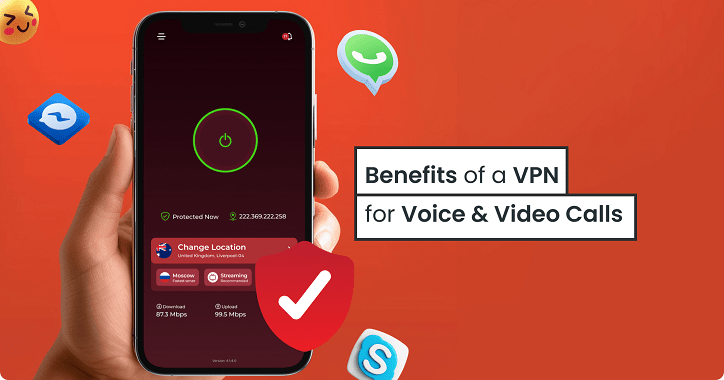
How to Unblock VoIP Calling Anywhere Securely with A VPN
- November 25, 2025
- 7 minutes Read
- VPN for VoIP Apps

If your favorite calling apps are blocked or restricted where you live, you can still stay connected and make a call using a VoIP VPN.
Many countries and internet providers limit VoIP services to control communication access, but a VPN helps you bypass those restrictions securely.
The best VPN for VoIP calls can encrypt your traffic and mask your location to make crystal-clear calls without interruptions or tracking. Whether you’re traveling, working remotely, or want unrestricted access, the best VPN for VoIP calls will keep your conversations private and ensure a stable connection.
In this guide, you’ll learn how to use VPN for calls safely, explore how VoIP over VPN works, and find practical ways to unblock calling apps anywhere in the world.
Table of contents
Why Do You Need a VPN for VoIP Calls?
A VPN for VoIP calls isn’t just about privacy, it’s about freedom, security, and reliability in how you communicate online.
Many countries and network providers restrict or throttle VoIP services to control communication channels or push users toward local alternatives. When that happens, your calls may drop, lag, or fail to connect entirely.
Using a VoIP supported VPN for calling helps you overcome those barriers by encrypting your traffic and routing it through secure global servers. This makes your internet provider or local authority unable to see or block your calling activity.
A VPN for calls also ensures consistent call quality by preventing bandwidth throttling. Some ISPs intentionally slow down VoIP traffic, especially on high-usage networks. With a VPN call setup, your data packets are hidden under encrypted layers.
Security is another major reason businesses and individuals rely on VoIP over VPN. Unlike traditional phone systems, VoIP transmits voice data through the internet, which can be vulnerable to interception or hacking. A reliable VPN encrypts that data end-to-end, keeping sensitive conversations completely private.
How to Use a VPN to Unblock VoIP Calls Anywhere?
Many countries and network providers limit VoIP call services in WhatsApp, Teams, and Facebook Messenger to control communication access or encourage the use of local carriers. A VoIP VPN helps you overcome those blocks and make secure, unrestricted calls from anywhere. Here’s how to set it up and use it safely.
Step 1: Choose a Reliable VPN for VoIP
Start by selecting the best VPN for VoIP calls like Symlex VPN. It offers fast, secure servers in countries where VoIP services are fully accessible. Symlex has features like:
- High-speed servers optimized for calling apps
- Strong encryption and a no-logs policy
- Wide global server coverage
- User-friendly apps for desktop and all mobile platforms
Look for options that perform well for VPN calling and have good uptime to ensure your connection remains stable during long conversations.
Step 2: Install the VPN App on Your Device
After subscribing to your preferred package from Symlex VPN, download and install the VPN app on your device from the official app store or from the official website to avoid tampered versions. Once installed, log in to your account.
Step 3: Select a VoIP-Friendly Server
To unblock calling apps, connect to a VPN server in a country where VoIP is not restricted. For example, servers in the United States, the Netherlands, or Singapore usually allow full access to VoIP platforms.
Select a nearby server to ensure low latency and reduce call delays. This step is essential for maintaining smooth audio quality and minimal lag during your VPN calls.
Step 4: Configure Security Settings
Before making a call, turn on key privacy features such as the kill switch, DNS leak protection, and advanced encryption protocols. If your VPN offers split tunneling, you can route only your calling app through the VPN while keeping other apps on your normal connection. This improves both speed and stability.
Step 5: Open Your Calling App and Start Talking
Once your VPN for calls is connected, open your preferred communication platform WhatsApp, Zoom, FaceTime, or Messenger. Your VPN will encrypt all outgoing and incoming data, masking your IP address and location. You can now make calls freely, without interruptions or geo-restrictions.
Step 6: Optimize Call Quality
If you experience lag or echo, try switching to a server closer to your location or changing the connection protocol (for example, from TCP to UDP). Some premium VPNs also offer VoIP over VPN optimization, designed to maintain steady speeds and clear voice transmission.
Using a strong Wi-Fi connection further enhances call clarity and reduces dropped calls.
Step 7: Test and Troubleshoot
Run a quick test call to ensure everything sounds as it should. If call quality dips, try these quick fixes:
- Change to another nearby server
- Close unused background apps
- Restart your VPN connection
- Update your VPN app to the latest version
Step 8: Keep Your VPN Updated
Regular updates keep your VPN secure and efficient. They also help maintain compatibility with new VoIP platforms and prevent detection by restrictive networks.
Choosing the Best VPN for VoIP Calls – Key Criteria
VoIP relies on stable and low-latency connections, which makes your VPN’s infrastructure and configuration highly optimized for that. Here are the key factors you should consider before choosing one.
Connection Speed and Stability
For smooth VPN calling, you need a service that maintains strong, uninterrupted speeds. A VPN with high-performance servers and optimized routing minimizes lag, echo, and call drops. Check whether the provider supports fast protocols like WireGuard or OpenVPN UDP. These protocols help keep latency low and voice quality clear, even during peak hours.
Global Server Coverage
A wide server network gives you more flexibility in unblocking VoIP platforms. Choose a VPN that offers servers in countries where VoIP is unrestricted. The closer the server, the better your call performance. Global reach also helps when traveling, ensuring you can always access calling apps securely through VoIP over VPN connections.
Strong Encryption and Security
VoIP data is transmitted over the internet and can be intercepted if unprotected. The best VPN for VoIP call should use AES-256-bit encryption with perfect forward secrecy. This ensures that even if someone intercepts your traffic, they can’t decrypt it. Features like DNS leak protection, a kill switch, and private DNS further strengthen your security during calls.
No-Logs Policy
Privacy is essential when using VPN for calls. Make sure the provider has a transparent no-logs policy that guarantees your voice data and connection history aren’t tracked or stored.
Device Compatibility and Ease of Use
Your VPN should work seamlessly across platforms from smartphones to laptops and routers. A clean, intuitive interface makes it easier to connect quickly before a call. Multi-device support is especially useful if you use several communication apps on different devices.
VoIP Optimization and Bandwidth Management
Some VPNs throttle or prioritize certain types of traffic. Look for services that explicitly support VoIP VPN usage or provide dedicated servers optimized for real-time communication. Consistent bandwidth allocation ensures high-quality calls even on shared networks.
Customer Support and Reliability
Reliable customer support can save you from downtime or configuration errors. The best providers offer 24/7 live chat, step-by-step setup guides, and detailed troubleshooting for VPN call performance issues.
Pricing and Value
While free VPNs might look tempting, they often come with speed limits and weak encryption. Paid services deliver better performance, reliability, and privacy protection all essential for VoIP users. Look for flexible plans, money-back guarantees, and transparent pricing before subscribing.
Final Words
You can unblock VoIP calling restrictions by using a VPN. It can easily bypass restrictions, protect your data, and give you smooth, uninterrupted communication anywhere in the world.
Choosing the best VPN for VoIP calls means focusing on speed, reliability, and strong encryption so you can connect freely without dropped calls or delays. Whether you’re making personal or business calls, VPN for calls gives you full control over your communication freedom.
So, take the next step: set up your VoIP over VPN connection today and experience unrestricted, secure, and crystal-clear calling no matter where you are.
![Ultimate White Label VPN Business Guide 2026 [Cost & ROI]](https://symlexvpn.org/wp-content/uploads/2026/01/Ultimate-White-Label-VPN-Business-Guide-2025-Cost-ROI_2-376x114.webp)