
VPN Ports & Protocols: Complete Simple Guide for 2026

IP Status: Checking...

VPN Ports and Protocols Made Simple: Complete Guide for 2026
Md Rashid Arif December 2, 2025 18 min read

VPN Ports and Protocols Made Simple: Complete Guide for 2026

Share On
In this article Table of Contents
    Stay private. Stay protected.

    Protect your browsing, work, and data from hackers and ISPs.

    Table Of Contents

      Stay private. Stay protected.

      Protect your browsing, work, and data from hackers and ISPs.

      When your VPN suddenly stops working, the culprit is usually port blocking. While most VPN users focus on server locations and encryption, the port your connection uses determines whether it succeeds or fails entirely.

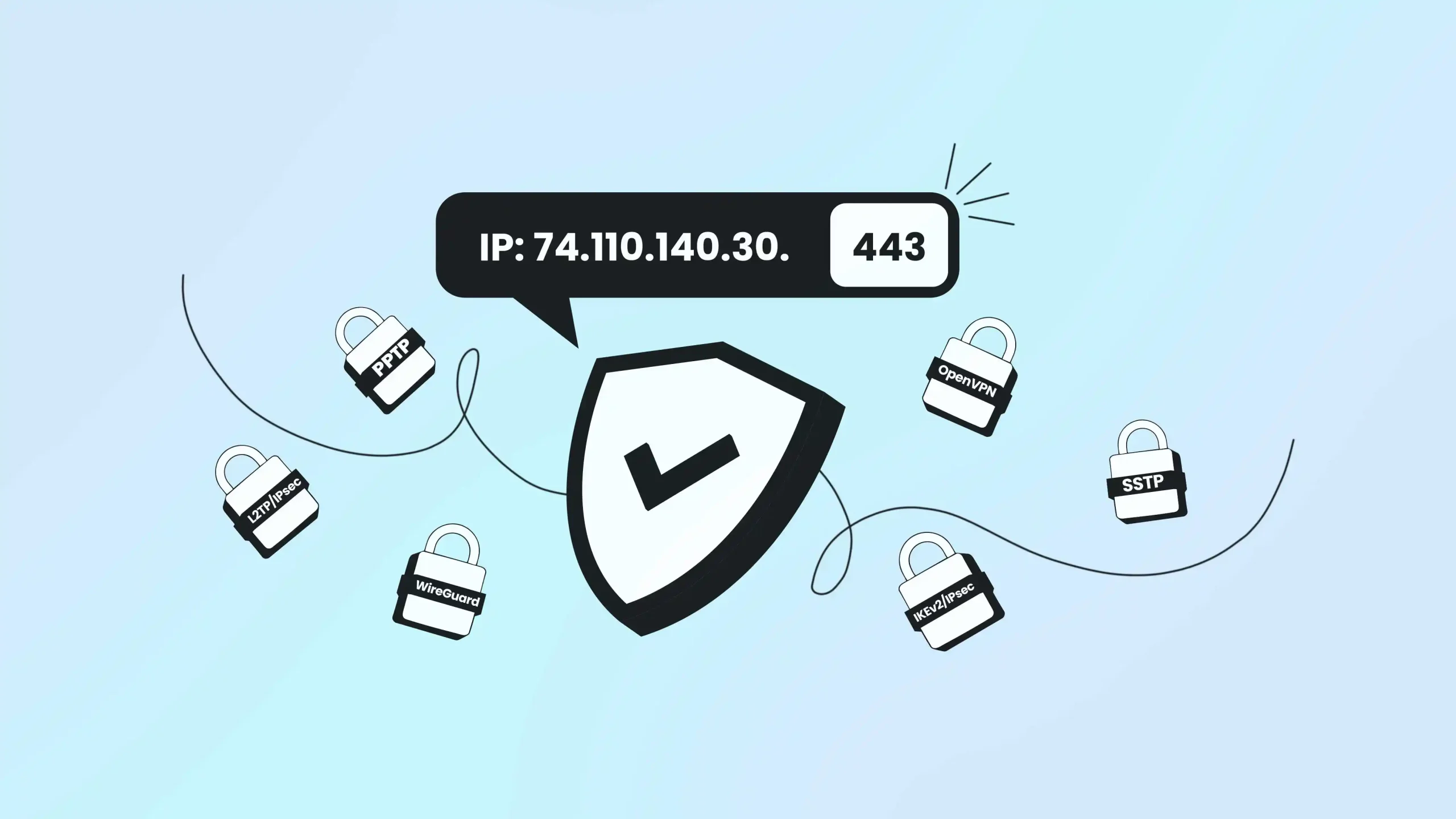
      VPN ports are the digital doorways that allow encrypted traffic to pass through network firewalls. Port 443 mimics secure web traffic and rarely gets blocked, while port 1194 offers maximum speed but faces frequent restrictions. 

      Understanding these differences means the difference between a connection that works everywhere and one that fails when you need it most. 

      This guide reveals which ports every major VPN protocol uses, why certain numbers get blocked while others remain open, and exactly how to troubleshoot connection failures when they occur.

      TLDR: Key Takeaways

      • Common VPN ports: 443 (TCP), 1194 (UDP), 500/4500 (UDP), and 51820 (UDP)
      • Port 443 – Best for bypassing firewalls, mimics HTTPS traffic
        Port 1194 – OpenVPN’s UDP default for maximum speed and performance
      • Port 51820 – WireGuard’s streamlined modern protocol
      • Ports 500/4500 – IKEv2/IPsec with automatic NAT traversal
      • Protocol security matters more than port numbers for actual protection
      • Custom ports available when defaults face network restrictions

      Understanding VPN Ports: The Foundation

      Think of VPN ports as specialized doors in your digital home. Each door serves a specific purpose and connects to particular services. 
      When you understand what a VPN is and how it functions, ports become the crucial gateways that make secure connections possible.

      A network port acts as a virtual endpoint that helps devices communicate over the internet. Every service running on a computer uses specific port numbers to organize and route traffic correctly. Without ports, your device couldn’t tell the difference between email, web browsing, or VPN traffic.

      Why Default Ports Get Blocked

      Network administrators commonly block known VPN ports like UDP 1194 and TCP 1723 to prevent unauthorized VPN usage in corporate environments. 
      This blocking strategy aims to maintain content filtering and network monitoring capabilities within organizational networks.

      The cat-and-mouse game between VPN providers and network restrictions drives continuous innovation in port selection and traffic obfuscation techniques. 

      Understanding this dynamic helps explain why modern VPN services offer multiple protocol and port options.

      Most Common VPN Ports

      What are the most common VPN ports? 

      The most frequently used VPN ports are port 443 (TCP), port 1194 (UDP), port 51820 (UDP), and ports 500/4500 (UDP). Port 443 is the most reliable because it mimics HTTPS web traffic that firewalls rarely block.

      Which VPN port is best for bypassing restrictions? 

      Port 443 (TCP) is the best VPN port for bypassing network restrictions because it uses the same port as secure websites (HTTPS). Network administrators cannot block port 443 without breaking online banking, shopping, and other essential web services.

      What port does OpenVPN use? 

      OpenVPN uses UDP port 1194 by default for optimal speed, and TCP port 443 as an alternative for maximum compatibility. Most OpenVPN providers allow switching between these ports in their app settings.

      Complete VPN Port Reference Table

      ProtocolDefault PortsTransportBest ForSecurity LevelFirewall Bypass
      OpenVPNUDP 1194, TCP 443BothGeneral use, reliabilityHighExcellent (TCP 443)
      WireGuardUDP 51820UDP onlySpeed, mobile devicesHighModerate
      IKEv2/IPsecUDP 500, UDP 4500UDPMobile, quick reconnectionHighModerate
      L2TP/IPsecUDP 1701, 500, 4500UDPLegacy compatibilityMediumLow
      SSTPTCP 443TCP onlyWindows, restriction bypassHighExcellent
      PPTPTCP 1723, GRE 47TCP+GREAvoid (deprecated)Very LowPoor

      The table shows why port 443 dominates the VPN world. Both OpenVPN and SSTP can use this port because it disguises VPN traffic as regular HTTPS web browsing, making it nearly impossible for firewalls to block without breaking normal internet access.

      VPN Port Performance Comparison

      Speed Rankings (Fastest to Slowest)

      1. WireGuard UDP 51820 – Modern encryption, minimal overhead
      2. OpenVPN UDP 1194 – Optimized for speed, no error correction delay
      3. IKEv2 UDP 500/4500 – Fast key exchange, mobile-optimized
      4. OpenVPN TCP 443 – Reliable but slower due to error correction
      5. SSTP TCP 443 – SSL/TLS overhead reduces performance
      6. L2TP/IPsec – Multiple protocol layers create latency

      Reliability Rankings (Most to Least Reliable)

      1. OpenVPN TCP 443 – Error correction, firewall-friendly
      2. SSTP TCP 443 – Built-in SSL reliability
      3. IKEv2 UDP 500/4500 – Automatic reconnection features
      4. OpenVPN UDP 1194 – Fast but may drop packets
      5. WireGuard UDP 51820 – Efficient but newer protocol
      6. L2TP/IPsec – Complex setup prone to configuration errors

      Firewall Bypass Success Rates

      • Port 443 protocols: 95% success (mimics HTTPS)
      • Standard VPN ports: 60% success (often blocked)
      • Custom high ports: 40% success (suspicious to admins)
      • Multiple port protocols: 25% success (complex blocking)

      Confused? Protocol Selection Decision Tree

      For Maximum Speed:  WireGuard (51820 UDP) → OpenVPN (1194 UDP) → IKEv2 (500/4500 UDP)

      For Maximum Compatibility: OpenVPN (443 TCP) → SSTP (443 TCP) → OpenVPN (1194 UDP)

      For Mobile Devices:  IKEv2 (500/4500 UDP) → WireGuard (51820 UDP) → OpenVPN (443 TCP)

      For Corporate Networks:  OpenVPN (443 TCP) → SSTP (443 TCP) → Custom OpenVPN ports

      The TCP vs UDP Foundation

      Before diving into specific VPN ports, you need to understand the fundamental difference between TCP vs UDP protocols

      This choice affects everything from connection speed to reliability.

      TCP: The Reliable Choice

      Transmission Control Protocol (TCP) establishes a dedicated connection before sending data. Think of it like a phone call where both parties confirm they can hear each other before starting the conversation. 

      TCP includes error-checking and automatic retransmission of lost data packets. This reliability comes with overhead that can slow down connections, especially on unstable networks. However, TCP’s persistence makes it excellent for bypassing restrictive firewalls that might drop UDP packets.

      UDP: The Speed Champion

      User Datagram Protocol sends data without establishing a connection first. It’s like sending a postcard – you write it, send it, and hope it arrives. UDP offers minimal overhead, making it significantly faster than TCP for most applications.

      The trade-off is that UDP doesn’t guarantee packet delivery or order. For real-time applications like VPN for gaming or streaming with VPN, this speed advantage outweighs the reliability concerns.  

      OpenVPN: The Versatile Standard

      OpenVPN dominates the VPN landscape because of its flexibility and proven security record. Understanding its port usage helps you make informed decisions about connection stability and performance.

      Default Port Configuration

      OpenVPN typically uses UDP port 1194 as its primary connection method. This port provides optimal performance for most users because UDP’s low overhead translates to faster speeds and lower latency. The protocol handles any packet loss internally through its own reliability mechanisms.

      For situations requiring guaranteed delivery, OpenVPN also supports TCP port 443. This port choice is strategic because it mimics HTTPS web traffic, making it extremely difficult for firewalls to block without disrupting normal web browsing.

      Firewall Traversal Strategy

      Port 443 represents one of OpenVPN’s most clever features. 

      Since this port carries encrypted HTTPS traffic that modern websites depend on, network administrators rarely block it completely. By routing VPN traffic through this port, OpenVPN can bypass most corporate firewalls and internet censorship systems.

      The protocol can also operate on custom ports when necessary. Advanced users can configure OpenVPN to use almost any available port, providing flexibility in restrictive network environments.

      Performance Considerations

      Choose UDP 1194 when your network allows it and speed is your priority. The reduced overhead makes this configuration ideal for bandwidth-intensive activities and general browsing.

      Switch to TCP 443 when you encounter connection problems or need to bypass restrictions. While slightly slower than UDP, the reliability and firewall-traversal capabilities make it invaluable in challenging network conditions.

      WireGuard: The Modern Approach

      WireGuard represents the latest evolution in VPN protocols, designed with modern cryptography and streamlined architecture.

      Its port usage reflects this contemporary approach.

      Single Port Philosophy

      WireGuard exclusively uses UDP port 51820 by default. This single-port approach simplifies configuration and reduces the attack surface compared to protocols requiring multiple ports. The choice of UDP aligns with the protocol’s focus on performance and efficiency.

      Unlike legacy protocols that require separate ports for different functions, WireGuard handles all communication through one streamlined channel. This design eliminates the complexity of managing multiple port requirements while maintaining robust security.

      Security Through Obscurity

      The protocol’s stateless design means it won’t respond to invalid packets or port scanning attempts. When an attacker probes port 51820 without proper cryptographic credentials, WireGuard simply ignores the request without sending any response.

      This “silent” approach makes it difficult for network monitoring systems to detect active WireGuard servers, providing an additional layer of protection against discovery and blocking attempts.

      Port Customization Options

      Despite using a standard default port, WireGuard allows administrators to configure alternative ports when needed. This flexibility proves valuable when the default port faces restrictions or conflicts with existing services.

      The protocol’s lightweight nature means port changes don’t significantly impact performance, unlike some traditional protocols that optimize for specific port configurations.

      IKEv2/IPsec: Enterprise Mobility

      Internet Key Exchange version 2 paired with IPsec creates a sophisticated VPN solution particularly well-suited for mobile devices and enterprise environments. Its port requirements reflect this complex functionality.

      Dual Port Architecture

      IKEv2/IPsec requires UDP port 500 for initial key exchange operations and UDP port 4500 for NAT traversal scenarios. This dual-port system enables the protocol to handle complex network configurations that single-port solutions might struggle with.

      Port 500 manages the Internet Key Exchange process, establishing security associations between client and server. When Network Address Translation devices exist in the connection path, traffic automatically switches to port 4500 to maintain connectivity.

      NAT Traversal Capabilities

      The automatic switching between ports 500 and 4500 makes IKEv2 particularly effective in real-world network environments. Most home and office networks use NAT, and IKEv2’s built-in support for this common scenario ensures reliable connections without manual configuration.

      This capability makes IKEv2 an excellent choice for mobile users who frequently switch between different network environments. The protocol can quickly re-establish connections when moving from cellular to Wi-Fi networks.

      Enterprise Deployment Considerations

      The standardized port requirements simplify enterprise deployment, as network administrators know exactly which ports to open for IKEv2 traffic. 

      However, the fixed port usage also makes the protocol more susceptible to targeted blocking by restrictive firewalls.

      Organizations deploying IKEv2 should ensure both required ports remain accessible through their network infrastructure to maintain reliable VPN connectivity for mobile workers.

      L2TP/IPsec: Legacy Compatibility

      Layer 2 Tunneling Protocol combined with IPsec represents an older but still widely supported VPN approach. Understanding its port requirements helps explain why modern alternatives have gained popularity.

      Multi-Port Complexity

      L2TP/IPsec requires three separate ports: UDP port 1701 for L2TP tunnel establishment, UDP port 500 for IPsec key exchange, and UDP port 4500 for NAT traversal. This multiple-port dependency creates challenges in restrictive network environments.

      The complexity stems from L2TP’s design philosophy of separating tunneling and encryption functions. L2TP creates the tunnel while IPsec handles security, requiring coordination between multiple network components.

      Network Administration Challenges

      The three-port requirement means blocking any single port disrupts the entire VPN connection. Network administrators must carefully configure firewall rules to allow all required ports, increasing the complexity of deployment and troubleshooting.

      This architecture also makes L2TP/IPsec more vulnerable to selective port blocking, where restrictive networks allow some ports while blocking others to disrupt VPN functionality.

      Modern Alternative Considerations

      While L2TP/IPsec remains supported across many platforms, its complex port requirements and dependency on potentially compromised IPsec implementations make modern alternatives more attractive for new deployments.

      SSTP: Windows Integration

      Secure Socket Tunneling Protocol represents Microsoft’s approach to VPN connectivity, designed specifically for Windows environments with built-in firewall traversal capabilities.

      HTTPS Port Strategy

      SSTP exclusively uses TCP port 443, the same port used for HTTPS web traffic. This strategic choice makes SSTP highly effective at bypassing firewalls and network restrictions since blocking port 443 would break secure web browsing for all users.

      The protocol encapsulates VPN traffic within SSL/TLS encryption, making it virtually indistinguishable from regular HTTPS traffic to network monitoring systems. This obfuscation provides excellent protection against VPN detection and blocking.

      Platform Limitations

      Despite its firewall-traversal advantages, SSTP’s Microsoft-specific design limits its cross-platform compatibility. The protocol works best in Windows environments and may require additional software or configuration on other operating systems.

      The proprietary nature also means SSTP doesn’t benefit from the same level of independent security auditing as open-source alternatives like OpenVPN.

      PPTP: Avoiding the Obsolete

      Point-to-Point Tunneling Protocol represents one of the earliest VPN implementations, but serious security vulnerabilities make it unsuitable for modern use. Understanding its port usage helps explain why security experts universally recommend avoiding it.

      Dual Protocol Architecture

      PPTP uses TCP port 1723 for control connections and GRE Protocol 47 for data transmission. This split architecture creates additional complexity while providing inadequate security protection.

      The requirement for both a TCP port and a separate GRE protocol makes PPTP particularly vulnerable to firewall blocking, as many networks restrict GRE traffic by default.

      Security Vulnerabilities

      The protocol’s authentication mechanisms, particularly MS-CHAPv1 and MS-CHAPv2, contain fundamental flaws that allow attackers to crack passwords through offline dictionary attacks. The encryption standard MPPE provides insufficient protection against modern attack techniques.

      These security weaknesses make PPTP unsuitable for any scenario where privacy or data protection matters, regardless of its port configuration or network compatibility.

      Strategic Port Selection Guide

      Choosing the right VPN port depends on your specific network environment, security requirements, and performance needs. 

      This decision framework helps you make informed choices.

      For Maximum Compatibility

      Choose TCP port 443 when you need guaranteed connectivity across diverse network environments. This port works reliably in corporate networks, public Wi-Fi, and countries with internet restrictions because blocking it would disable secure web browsing.

      The slight performance trade-off compared to UDP is usually worthwhile when connection reliability is your primary concern. This configuration works particularly well for VPN for business applications where consistent access is crucial.

      For Optimal Performance

      Select UDP ports when your network environment is permissive and speed is your priority. UDP 1194 (OpenVPN) or UDP 51820 (WireGuard) provide the best performance characteristics for activities like streaming, gaming, or large file transfers.

      The reduced protocol overhead translates directly to better user experience in bandwidth-intensive applications. Just ensure your network doesn’t block these ports before committing to UDP-only configurations.

      For Mobile Users

      Consider IKEv2/IPsec with its automatic NAT traversal capabilities when you frequently switch between different networks. The protocol’s ability to quickly re-establish connections makes it ideal for smartphone and laptop users who move between cellular, Wi-Fi, and corporate networks throughout the day.

      The standardized port usage (500/4500) also simplifies troubleshooting when connection issues arise in different network environments.

      Common VPN Port Problems and Solutions

      Here are some common VPN port problems you can solve by yourself.

      Error Code Guide

      Error 800/721: “VPN server might be unreachable”

      • Cause: Port blocking by firewall or ISP
      • Solution: Switch to TCP port 443 in VPN settings
      • Example: OpenVPN UDP 1194 blocked → Change to OpenVPN TCP 443

      Error 619: “Connection was terminated”

      • Cause: Multiple VPN clients or Windows firewall interference
      • Solution: Disable other VPN software, check Windows Firewall exceptions
      • Example: NordVPN and ExpressVPN both installed → Uninstall one, restart

      Error 720: “Cannot negotiate PPP control protocols”

      • Cause: Protocol mismatch or corrupted network adapter
      • Solution: Reset network stack: netsh int ip reset in Command Prompt
      • Example: After Windows update → Run as administrator, restart computer

      Connection timeout on IKEv2:

      • Cause: UDP ports 500 or 4500 blocked by router
      • Solution: Enable IPsec passthrough in router settings
      • Example: Home router blocking IKEv2 → Access 192.168.1.1, enable VPN passthrough

      Real-World Troubleshooting Scenarios

      Scenario 1: Corporate WiFi Blocks VPN

      Problem: OpenVPN UDP 1194 fails at office

      Testing: Try TCP 443 → Success

      Reason: IT blocked gaming/P2P ports but allows HTTPS

      Solution: Configure OpenVPN to use TCP 443 permanently

      Scenario 2: Hotel WiFi Intermittent Connection

      Problem: WireGuard connects but drops every 5 minutes

      Testing: Switch to IKEv2 → Stable connection

      Reason: Hotel firewall deep packet inspection targeting UDP 51820

      Solution: Use IKEv2 or OpenVPN with obfuscation

      Scenario 3: Home Router Configuration

      Problem: L2TP/IPsec fails after router update

      Checking: Ports 500, 4500, 1701 all open

      Testing: Direct ethernet connection → Works

      Reason: Router firmware disabled IPsec passthrough

      Solution: Enable IPsec/PPTP/L2TP passthrough in router settings

      Port Testing Commands

      Enter these commands on the terminal.

      Check if port is open (Windows):

      telnet vpn.server.com 443

      telnet vpn.server.com 1194

      Test UDP connectivity:

      nmap -sU -p 500,4500,1194 vpn.server.com

      Trace connection path:

      tracert vpn.server.com

      Common Connection Error Codes

      Understanding VPN error messages helps you identify port-related issues quickly:

      Error 721 or 800: Usually indicates blocked ports or firewall interference. The VPN client cannot reach the server on the configured port. Try switching to TCP port 443 or contact your network administrator.

      Error 619: Occurs when multiple VPN clients conflict or firewall settings block VPN ports. Disable other VPN software and check firewall rules for the required ports.

      Connection timeout errors: Often result from NAT devices or routers not supporting the required protocols. IKEv2 connections may need both UDP ports 500 and 4500 open through your network infrastructure.

      Quick Port Troubleshooting Checklist

      When your VPN won’t connect, follow this systematic approach:

      Step 1: Verify Basic Connectivity

      • Test your internet connection without VPN
      • Try connecting to a different VPN server location
      • Check if your VPN subscription is active

      Step 2: Test Different Port Configurations

      • Switch from UDP to TCP in your VPN settings
      • Try port 443 if using OpenVPN (mimics HTTPS traffic)
      • Test alternative protocols if available (WireGuard, IKEv2)

      Step 3: Check Local Blocking

      • Temporarily disable local firewall and antivirus
      • Restart your router and modem
      • Test connection from a different device on the same network

      Step 4: Advanced Network Testing

      • Use network diagnostic tools: nslookup, ping, traceroute
      • Test from different network locations (mobile hotspot vs WiFi)
      • Check with network administrator about VPN policies
      • Consider using obfuscated servers or stealth protocols

      Router Configuration Examples

      Enabling VPN Passthrough (Most Home Routers):

      1. Access router admin panel (usually 192.168.1.1 or 192.168.0.1)

      2. Navigate to Security or VPN settings

      3. Enable “IPsec Passthrough” for IKEv2/L2TP

      4. Enable “PPTP Passthrough” for PPTP (not recommended)

      5. Save settings and restart the router

      Port Forwarding for VPN Server:

      Protocol: UDP, Port Range: 500-500, Local IP: [VPN Server IP]

      Protocol: UDP, Port Range: 4500-4500, Local IP: [VPN Server IP]  

      Protocol: UDP, Port Range: 1194-1194, Local IP: [VPN Server IP]

      Protocol: TCP, Port Range: 443-443, Local IP: [VPN Server IP]

      Enterprise Firewall Rules:

      Allow Outbound: TCP 443 (OpenVPN, SSTP, HTTPS)

      Allow Outbound: UDP 1194 (OpenVPN default)

      Allow Outbound: UDP 500, 4500 (IKEv2, IPsec)

      Block Inbound: All VPN ports (security policy)

      Final Thoughts

      VPN ports are the crucial gateways that make secure internet connections possible, and understanding their role is essential for anyone seeking reliable online privacy. By mastering these port configurations and troubleshooting techniques, you gain the knowledge needed to maintain secure connections regardless of network restrictions or changing circumstances. 

      Frequently Asked Questions (FAQs)

      Which port should I use for my VPN?

      Use TCP port 443 for maximum compatibility and firewall bypass capability. This port mimics HTTPS web traffic that networks cannot block without breaking essential websites. Switch to UDP port 1194 when your network allows it and you need maximum speed for activities like gaming or streaming.

      Why does my VPN work at home but not at work?

      Corporate networks typically block known VPN ports like UDP 1194 and TCP 1723 while allowing standard web traffic on port 443. Your VPN works at home because residential internet providers rarely implement VPN blocking. Try switching to TCP port 443 or SSTP protocol in your VPN app settings to bypass corporate restrictions.

      Can VPN ports be detected and blocked?

      Network administrators can detect VPN usage through port analysis, traffic pattern recognition, and deep packet inspection. However, VPN traffic on port 443 is much harder to detect because it appears identical to regular HTTPS web browsing. Advanced VPN services offer obfuscation features that further disguise VPN traffic to avoid detection.

      What’s the difference between TCP and UDP VPN connections?

      TCP connections are slower but more reliable, using error correction and guaranteed packet delivery. UDP connections are faster but may lose packets, making them ideal for streaming and gaming. TCP works better through restrictive firewalls, while UDP provides optimal performance on stable networks.

      How do I fix error 800 or 721 VPN connection failures?

      These errors typically indicate blocked VPN ports. First, try switching to TCP port 443 in your VPN settings. If that fails, temporarily disable your local firewall and antivirus software to test if they’re causing interference. Check that your router allows VPN traffic and consider testing from a different network location.

      How do I change VPN ports if the defaults are blocked?

      Most VPN clients allow port customization through advanced settings or configuration files. Access your VPN app’s settings menu and look for “Protocol” or “Advanced” options. You can typically choose between UDP 1194, TCP 443, or custom ports provided by your VPN service. Some providers, like Surfshark, offer camouflage mode that automatically uses available ports to bypass restrictions. Always test the new configuration in a safe environment before relying on it for important connections.

      Are there legal implications for using specific VPN ports?

      Using different VPN ports doesn’t change the legal status of VPN usage in your jurisdiction. The legality depends on your location’s laws regarding VPN technology, not the specific ports used. However, some countries employ sophisticated detection methods regardless of port configuration, so research local regulations before using VPNs in restrictive regions.